Top 3 Tweet to Video AI Tools To Make Video Content Instantly
Tweet to Video AI tools convert tweets into videos in seconds. Learn how to leverage these AI tools to create engaging video content for Twitter.
Swiss Observer
Social media marketers always seek ways to increase engagement and reach more users. And with the flood of text content, video content has become even more essential to success. Just look at Twitter, where videos generate 10X more engagement than regular tweets. The problem? Creating quality video content is complex and time-consuming.
Artificial intelligence to the rescue. Generative AI tools allow anyone to transform written tweets into captivating video content in minutes. These “tweet to video AI” tools generate elements like visuals, voiceovers, effects, and music to create professional videos optimized for social media.
Clever brands and marketing professionals use these AI tools to improve their social media strategy to be more video-focused. The AI marketing automation tools make it sustainable to produce the volume and variety of dynamic video assets needed to stand out on visually focused social media platforms today. Let’s explore the possibilities of this new AI technology powering the current evolution of digital marketing.
Why Video Content Is Crucial Today
Videos perform phenomenally well on Twitter compared to text or image tweets. Some stats:
- Videos increase retweet rates by 150%
- Conversion rates improve by 80%
- 55% longer time-on-page than non-video content
- 10x more engagement than standard tweets
These numbers highlight the immense opportunities for brands to integrate more video into their Twitter feed. As Elon Musk pushes the platform to evolve beyond a “microblogging” network into more of an entertainment medium, the native video format will only grow in importance.
Any brand or individual can tap into the viral potential of video through tweet-to-video AI tools – even if they lack in-house video marketing resources. AI eliminates excuses and makes visually compelling social videos highly accessible.
How Tweet to Video AI Works
AI video platforms use machine learning trained on massive datasets to automate video creation in a customizable way:
- Natural language processing analyzes text to identify keywords, sentiments, entities, etc. This semantic understanding guides visual content decisions.
- Algorithms curate relevant images and footage from licensed databases to represent the tweet’s theme.
- Text-to-speech voices provide professional voiceovers while staying authentic to the language.
- Packaged scenes feature transitions, lower thirds, motion graphics, animations, and effects.
- Background music options create the desired mood aligned with the brand identity.
By supporting re-use, repurposing, and remixing of existing assets, Text to Video AI generators lower the barriers to producing shareable social videos quickly and at scale. The synthesized outputs simplify what previously required expensive video editing software, complex equipment, and creative expertise.
Best Tweet to Video AI tools
Several intuitive online tools now allow converting tweets to videos with only a couple of clicks. Let’s highlight some popular options:
Typeframes

Typeframes Tweet to Video AI is a free online Twitter video tool that converts tweets into videos in seconds. It uses AI to analyze the tweet and automatically generates a video with relevant images, animations, and music. Users can customize the video by changing the background, text, and music. The tool also allows adding a logo and a call-to-action button to the video.
Vidds
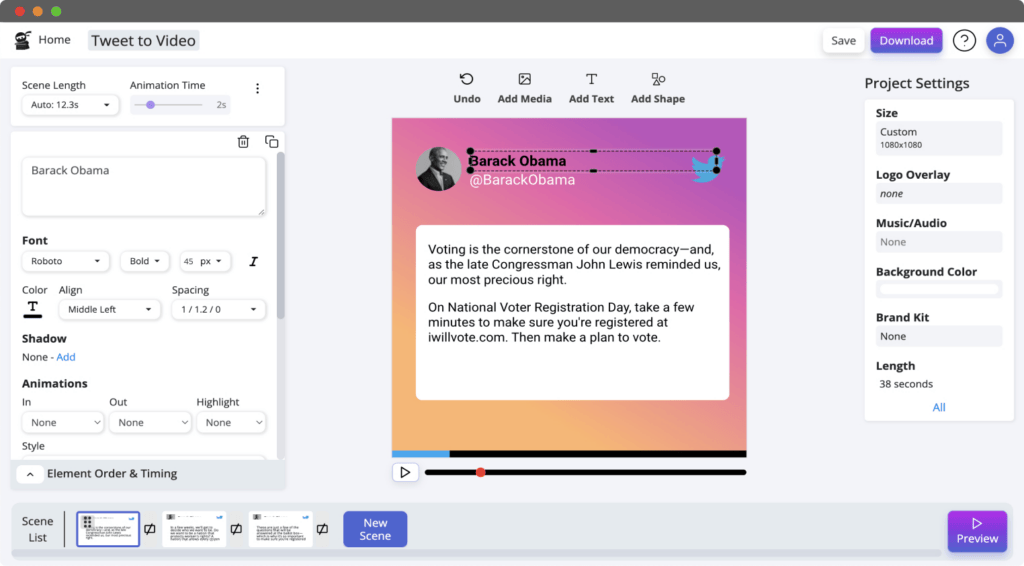
Vidds focuses solely on tweet conversion to produce videos under 60 seconds. The AI scans text to suggest visuals and music which human editors further refine before finalizing outputs. An array of customization around speed, text layouts, images, colors appeal to different preferences. Bulk processing enables large-scale tweet to video transformation. Downsides are limited creative control and lack of voiceovers. But simplicity and speed make it ideal for quick experiments.
Wideo
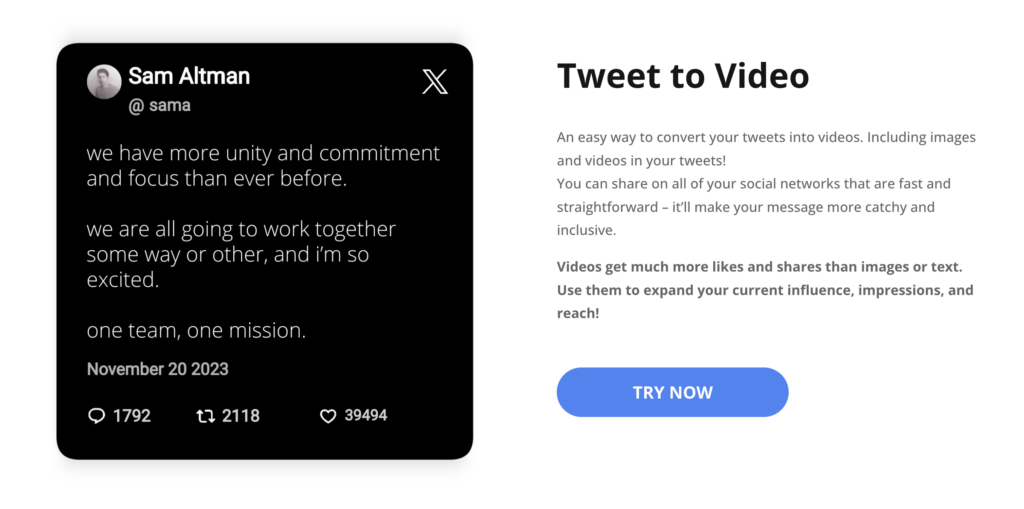
While not tweet-exclusive, Wideo is another versatile text-to-video platform powered by AI. It works across different languages translating text into animated videos with impressive fidelity. Voiceover quality stands out as very clear and natural unlike synthetic voices. The graphics, transitions and ability to incorporate logos, images make videos resonate. Users can even order multiple style variations to pick the one matching their vision best. Social media integration further eases directly sharing videos.
Fliki
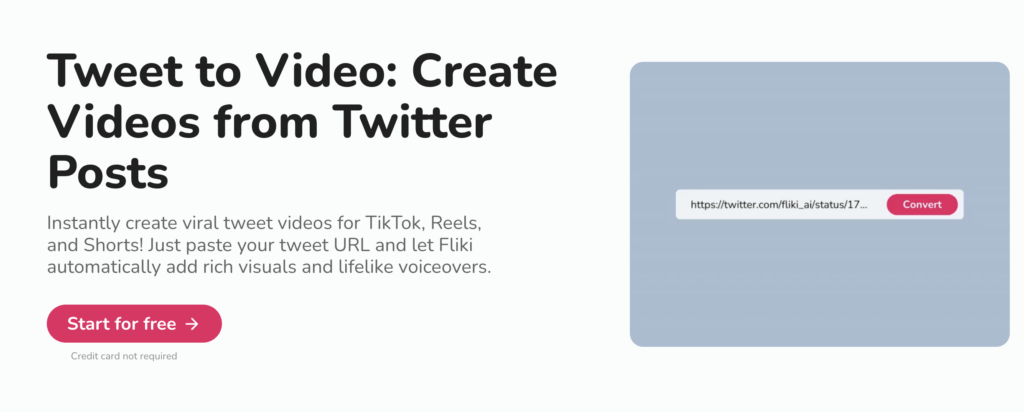
As an end-to-end video creation suite, Fliki opens up full production capabilities beyond just tweet conversion. It enables crafting longer-form narrated videos starting from any text source – tweets, articles, transcripts, notes etc. While AI heavy, it allows much more human guidance over final outputs through its editor. Element libraries facilitate easily modifying every component from visuals, animations to voiceovers until satisfied. Twitter-optimized formats remain available alongside other export options optimized for different platforms and needs.
Benefits of Tweet to Video AI
It’s clear innovative AI is driving incredible progress in making video content more intelligible and controllable. Specific perks Tweet to Video solutions offer include:
- Increased Tweet Engagement – AI videos stand out visually for more likes, shares, comments.
- Reduced Costs – Low-cost conversion compared to manual video expenses
- Faster Production – Minutes to output versus hours of human effort
- Message Amplification – Wider reach as videos spread within communities
- Format Agility – Ability to tailor video styles across platform needs
- Brand Consistency – Match outputs to branding through customization
- Scalability – Batch processing of tweets facilitates large volume creation
- Rapid Experimentation – Quick variations to determine optimal presentation
The efficiency and personalization collectively expand possibilities with video that human creators alone cannot fulfill at fractional budgets.
Do You Still Need Humans?
However, tweet-to-video AI still benefits from human oversight, given technology limitations. Brands need to set the strategic direction and constraints for algorithms:
- Select tweets or craft tweets specifically for conversion
- Pick template themes and creative directions matching campaign goals
- Curate licensed media assets like music, graphics, animations to use
- Define brand elements – logo, fonts, color palettes for consistency
- Review and select best output options from AI variations
- Refine via editing until videos achieve intended style and messaging
AI cannot plan for audiences or integrate external context the way strategists can. Without proper briefing, misalignment may occur between videos and branding. So guidance remains vital even in automated workflows – enabling AI creativity rather than fully outsourcing creative responsibilities.
How to Get Started with Tweet to Video AI
For brands and social media managers still new to leveraging these emerging AI tools, here is a quick process to follow:
- Audit existing Twitter presence – content format, engagement levels, audiences targeted etc. Identify goals and KPIs for your video strategy. Is it more views, follows, leads or sales? Who are your key personas – demographics, interests etc? This grounding will inform later decisions.
- Select tweets to convert based on organic engagement or strategic value in continuing conversations. Pick those aligned to goals with compelling hooks for video portrayal. Schedule more evergreen tweet creation specifically for auto-video conversion allowing advance planning.
- Research platforms that best align to use case complexities around customization needs, output quality, formats, pipelines and budget. Prioritize those offering trial periods to first validate effectiveness.
- Onboard onto chosen system and orient around capabilities using demo data first. Determine parameters for branding, templates, assets and AI generators that serve identified video strategy and audiences.
- Start converting existing tweets in bulk to build initial inventory. Preview auto-generated options and select most resonating samples. Refine platform directives based on outputs. Enable integrations for easy sharing straight to Twitter.
- Develop schedules and resources to continually source new tweet content tailored for video conversion in sustainable way. Track video performance analytics on Twitter – engagement, viewership metrics aligned to goals. Document learnings to further optimize processes.
Adapting to this new world of automated video content will unlock benefits like lower production hurdles, faster iteration and intelligence extraction. But thoughtful planning aroundAI tools for strategic needs remains crucial to maximize impacts.
Conclusion
While current Tweet to Video functionalities focus on transforming inputs into templatized videos, underlying technology advancements hint at bolder possibilities. Soon AI could possess enough independent reasoning to:
- Contextualize branded content as it dynamically localizes internationally
- Craft narrative styles, themes and emotive expressions autonomously
- Manifest creative visions at greater scale than feasible manually
- Democratize video production so anyone individual can be empowered
Cloud systems continue to centralize vast knowledge enabling more composite media synthesis powered by AI imagination. No doubt remaining workflow efficiencies to eliminate will undergo automation until the craft of video creation fundamentally transforms.
Perhaps someday Tweet to Video solutions may architect expressive cinematography directly from language alone. For now augmenting human effort through AI collaboration appears the sustainable path to balance automation benefits with uniqueness of human creativity needed for relevance.
One thing is certain – visual interaction (like LinkedIn carousels) underscores the internet’s future. Pioneering Tweet to Video AI tools represent the inception stage of capitalizing on multidimensional experiential communication we are now just beginning to materialize.